What Should You Look for in a Samsung Phone Gimbal?
Samsung phone users aiming to capture smooth and professional-quality footage increasingly rely on gimbals. These devices offer stabilization and innovative features that transform smartphone videography. Finding the perfect gimbal involves understanding key aspects like stabilization technology, compatibility with Samsung phones, and battery life. In this guide, we delve into what makes a Samsung phone gimbal worth your investment, helping you make an informed decision for videography and content creation needs.
Key Features to Look for in a Samsung Phone Gimbal
3-Axis Stabilization for Smooth Footage
Three-axis stabilization is essential for capturing steady videos and reducing shake during movement. This feature ensures seamless footage by leveling out unexpected bumps or jerks as you film, making it indispensable for anyone serious about creating quality content with their Samsung phone. It also helps maintain cinematic smoothness during walking, running, or panning shots, delivering professional-looking results even in fast-paced or unpredictable shooting conditions.
AI Tracking and Subject Lock Capabilities
AI tracking keeps subjects centered and locked in the frame, giving creators more flexibility to focus on storytelling rather than constantly adjusting the camera, especially when considering what is the best phone gimbal for samsung devices. With subject lock features, gimbals automatically keep faces or objects in focus; perfect for vlogging, livestreaming, or filming dynamic scenes. This intelligent tracking system improves shooting efficiency, reduces missed moments, and ensures consistent framing, even when subjects move quickly or unpredictably across complex environments.
Portability, Weight, and Foldable Design
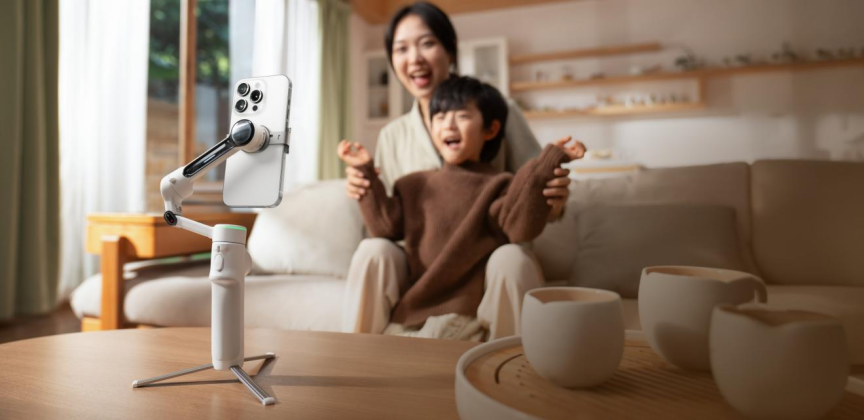
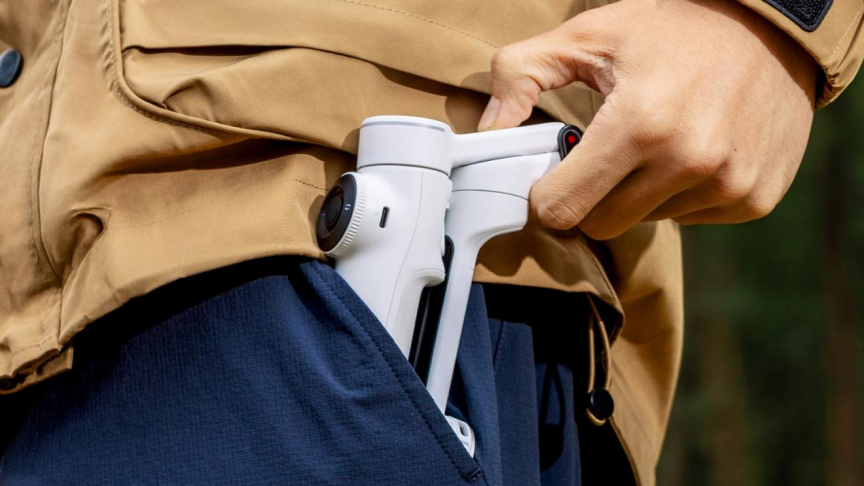
Gimbals with a lightweight and foldable design offer convenience for on-the-go shooting. For instance, models like Insta360 Flow 2 Pro weigh approximately 357g and fold compactly, making them easy to carry. Their foldable nature allows for quick setup, eliminating the need for extra equipment like tripods. This design also supports travel-friendly packing, reduces bulk in bags, and enables creators to shoot spontaneously without preparation or complicated setup processes.
Compatibility and Performance with Samsung Devices
Android Optimization and App Integration
Optimized compatibility with Android ensures seamless operation with Samsung devices. It allows integration with native apps, promoting efficient workflows. Gimbals incorporating a robust connection with smartphone apps enhance the user experience by offering direct control over shooting modes and settings. This deep integration also enables firmware updates, real-time previews, and advanced shooting features that improve usability, performance consistency, and creative flexibility for Samsung users across different models.
Bluetooth Pairing and Smart Controls
Gimbal models equipped with Bluetooth pairing enable effortless connectivity with Samsung devices, enhancing usability. Smart controls provide functionality to manage camera angles, zoom, and recording from the gimbal itself, streamlining the filming process and eliminating the constant need for phone adjustments. These controls improve shooting precision, allow one-handed operation, and help creators maintain focus on framing and storytelling without interrupting the recording flow or overall creative process.
Advanced Shooting Modes That Enhance Creativity
Panorama, Timelapse, and Motion Effects
Specialized shooting modes, including panorama, timelapse, and motion effects, unlock creative potential and deliver breathtaking visuals. They provide expansive views, dazzling transitions, and engaging storytelling elements, allowing users to experiment and grow creatively with their projects. These modes also simplify complex shooting techniques, enabling beginners to achieve professional-style results while giving experienced creators tools to push the boundaries of visual storytelling further.
Smart Features Inspired by Insta360 Flow 2 Pro
Taking cues from advanced systems like Insta360 Flow 2 Pro, features such as AI-powered subject tracking and smart shooting mode integration enhance creative opportunities. These functionalities support refined video composition and sophisticated output, catering to diverse shooting applications. They also introduce automation into the creative process, helping users capture high-quality footage efficiently while maintaining consistency across different scenes and shooting environments.
Battery Life and Charging Considerations
Long Battery Life for Outdoor Shooting
For outdoor adventures, a gimbal with long battery life is crucial. Models offering around 10 hours of usage on a single charge keep content creators powered throughout their filming sessions without frequent recharges. This extended battery performance ensures reliability during travel, events, or long shooting days, allowing creators to focus on capturing content without worrying about interruptions or the need to carry multiple backup power solutions.
Power Bank Function and USB Charging
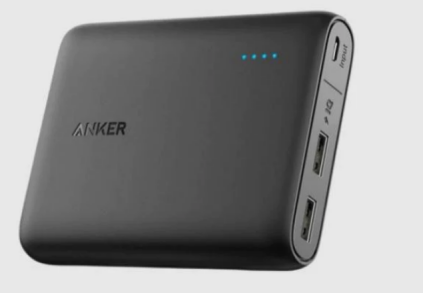
The ability for gimbals to serve as power banks is a beneficial feature, offering a dual purpose for prolonged use. USB charging ensures ease of recharging, allowing users to refuel their devices quickly and efficiently. This added functionality supports continuous shooting by keeping smartphones powered, making it especially useful during long recording sessions, outdoor shoots, or situations where access to charging outlets is limited.
Conclusion
Selecting the perfect gimbal for your Samsung phone involves evaluating key features specific to stabilization, compatibility, shooting modes, and battery efficiency. With advancements akin to those in Insta360 Flow 2 Pro, users are offered smart tracking and intuitive controls that elevate video recording to professional standards. The right gimbal empowers creativity and enhances the overall filming experience, making it an excellent investment for content creators and photography enthusiasts alike.